
Trade calculator
See both sides before you agree to a trade.
Add the cards you are offering and the cards you would receive. FoilFox totals their dated estimates, shows the difference, and keeps amounts you enter labeled as yours.
Version-specific estimates · The agreement stays yours.
Example trade
Put the cards side by side.
Your offer
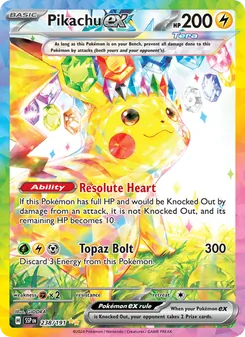

Their offer
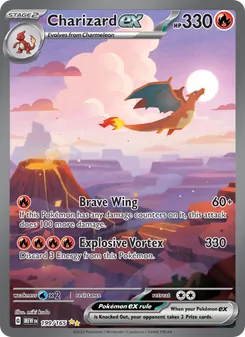
The app adds the estimates for each exact version. Check the finish and condition together before agreeing.
In FoilFox
Put a useful number beside the conversation
Add cards to both sides
Choose your offer from your collection and find the other cards by name, set, and version. Adjust quantities to match the trade.
Review the prices
Check the source and date of each estimate. Where a card has no usable price, you can enter your own amount for this trade.
Compare and decide
Read the difference between the totals. Sides within five percent of the larger total are marked balanced; condition and what you want still matter.
The version matters on both sides.
A regular card and its reverse holo can share artwork and have different prices. Review the finish, language, and condition together before you shake on it.
What if a price is missing?
The comparison is unavailable until every card has a usable price. You can enter your own value for an unpriced card; it is labeled for this trade and is not saved as a market price.
Does the calculator adjust for condition?
No. Inspect both sides yourself. A catalog estimate does not adjust for wear or give a graded card a value; an amount you enter remains your own figure.
Can it compare different currencies?
It does not convert currencies. Both sides need usable prices in the same currency; reference prices alone cannot establish the comparison.