
Foil & finish scanner
Automatic foil & finish detection.
FoilFox automatically analyzes supported cards on your phone and suggests the finish. Check the result before saving. Illustrated guides help you confirm special foil patterns.
iPhone, iPad & Android · Recognition varies by game, card and scanner pack.
Real card versions
Look for the Master Ball pattern.
Umbreon · Prismatic Evolutions · #059

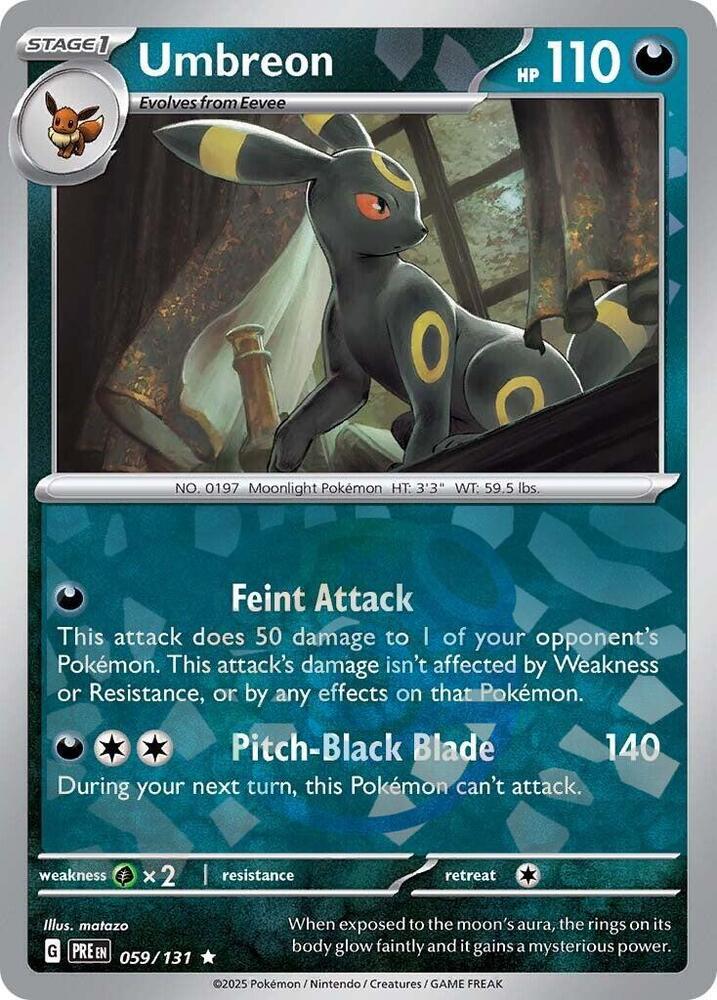
The artwork and number match. The finish makes these separate versions.
In FoilFox
From the camera to the right version
Frame your card
Use the camera or choose a photo. Keep the card in view with enough light to read its artwork and text.
Review the match
Check the name, set, number, and finish shown on screen. You can choose another version or use manual search when a result is unclear.
Confirm and save
Choose its destination and tap Add when the details agree. A scanner suggestion becomes a saved card through your confirmation.
A little shine can change the card.
The two Umbreon cards above share a name and number. Open either version to compare its other finishes and the source and date beside its price.
Can I scan without an account?
Yes. Start scanning or search the catalog without an account. Sign in when you want to save and sync your collection.
Which games can I scan?
Choose a game in the mobile scanner and download its scanner pack when prompted. Recognition varies by game, set and printing. Browsing a card in the catalog does not mean the scanner can recognize it.
What if the finish is hard to tell?
FoilFox picks one for you every time, from what it knows about the card and what it sees in your scan. If you’re holding a different finish, one tap changes it before you save.
What if my card has no price?
Price coverage varies by version. Where an estimate is available, its source and observation date are shown. A missing estimate does not stop you saving a card.
Where is the photo analyzed?
On your phone. Ordinary scans do not send the photo to a cloud model. If scanning cannot resolve the card, manual search remains available.
Does it grade or authenticate cards?
No. Inspect the corners, edges, and surface yourself. FoilFox does not assign a professional grade or authenticate a card.