
Binder organizer
Know the sheet, side and pocket.
Choose the pocket size, sheets and finishes for your physical binder. Follow the plan as you fill it, with room left for the cards you still need.
3 × 3, 3 × 4 or 4 × 4 pockets · Your sheet count and layout.
Example binder page
Give the gaps a number.
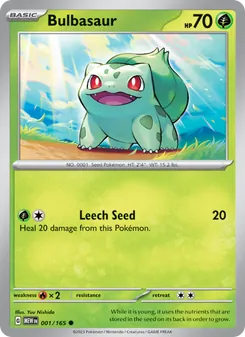 #001 · Bulbasaur
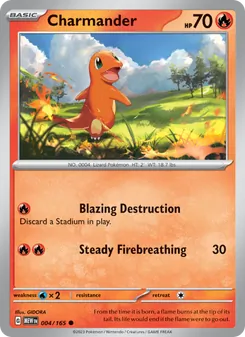 #004 · Charmander
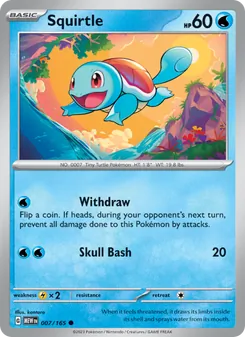 #007 · Squirtle
A three-by-three layout for Pokémon 151. Empty pockets show the cards still to find.
In FoilFox
Give your collection a place
Match your physical binder
Choose its pocket grid, sheet count, and whether you use the front and back. Pick the sets and finishes you collect.
Follow each planned pocket
Read the sheet, Front or Back, and pocket number beside the card. Confirm its physical location when you place it in your binder.
Keep a place for missing cards
Planned gaps stay reserved. The page distinguishes versions here, elsewhere in your collection, and still missing.
A plan you can keep beside the real binder.
Choose card-number order, group by finish, or review another arrangement before saving. Changing a digital plan does not move the cards on your shelf; use the plan as your guide when you rearrange them.
Can I arrange the pages myself?
Yes. Edit a binder to move confirmed cards between pockets, including swapping occupied pockets. Set plans also offer layouts you can review before saving.
How is set progress counted?
A set plan counts the exact versions held in that binder against its targets. Duplicates do not increase completion, and the percentage rounds down while a target is still missing.
Can I take my data with me?
Yes. Collection exports are available in CSV and JSON, so you can keep a copy of your cards outside FoilFox.