
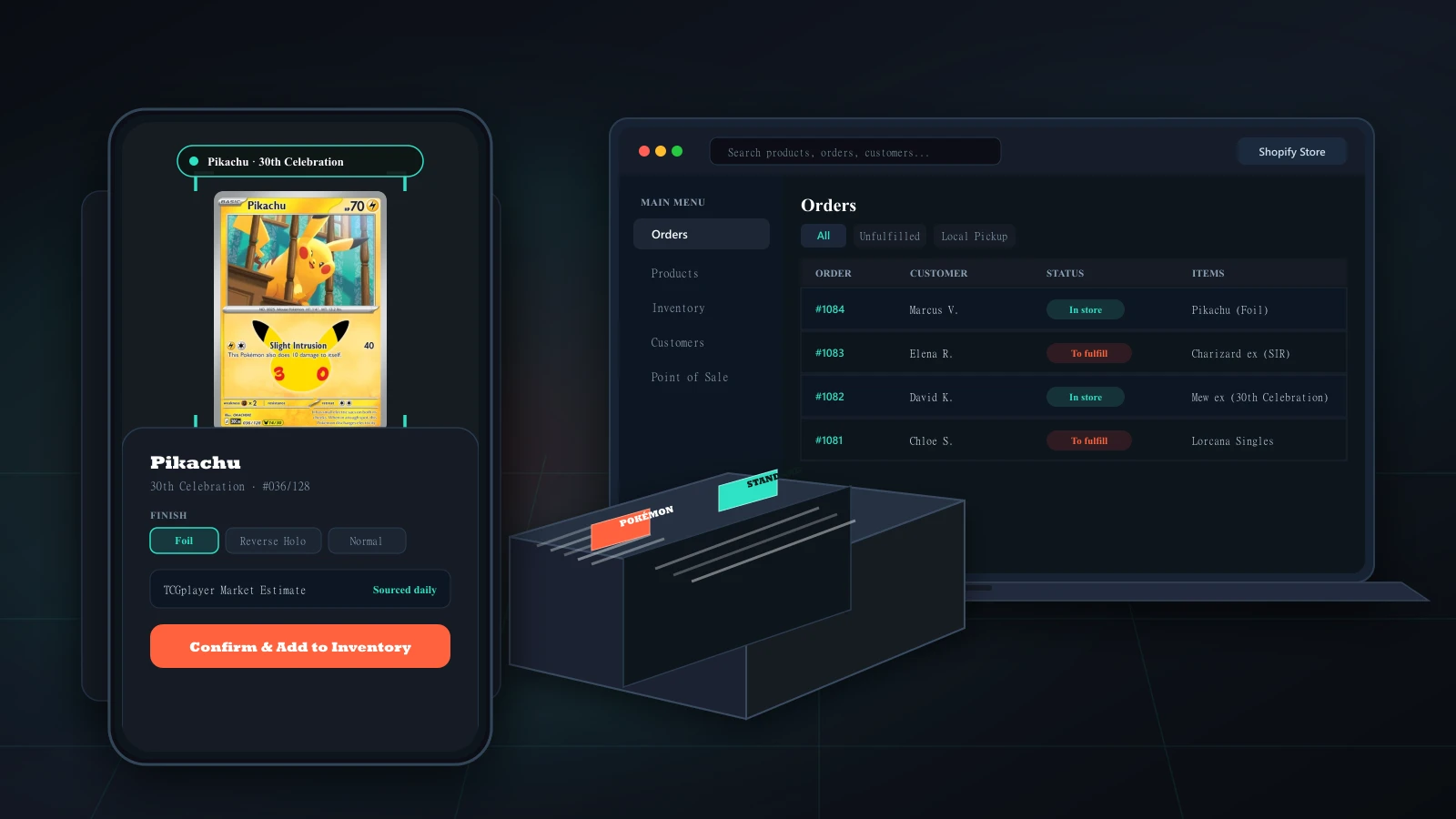
How do you get a stack of singles into inventory?
Buying collections keeps a shop going, but typing them in card by card after closing is how they end up in a back-room box. With FoilFox, staff hold the phone over a card at the counter, check the version and finish the scanner suggests, and save it with its condition, what you paid and its shelf address. The scanner starts with Pokémon, and when it cannot tell two versions apart it says so, so staff search by name and number instead.
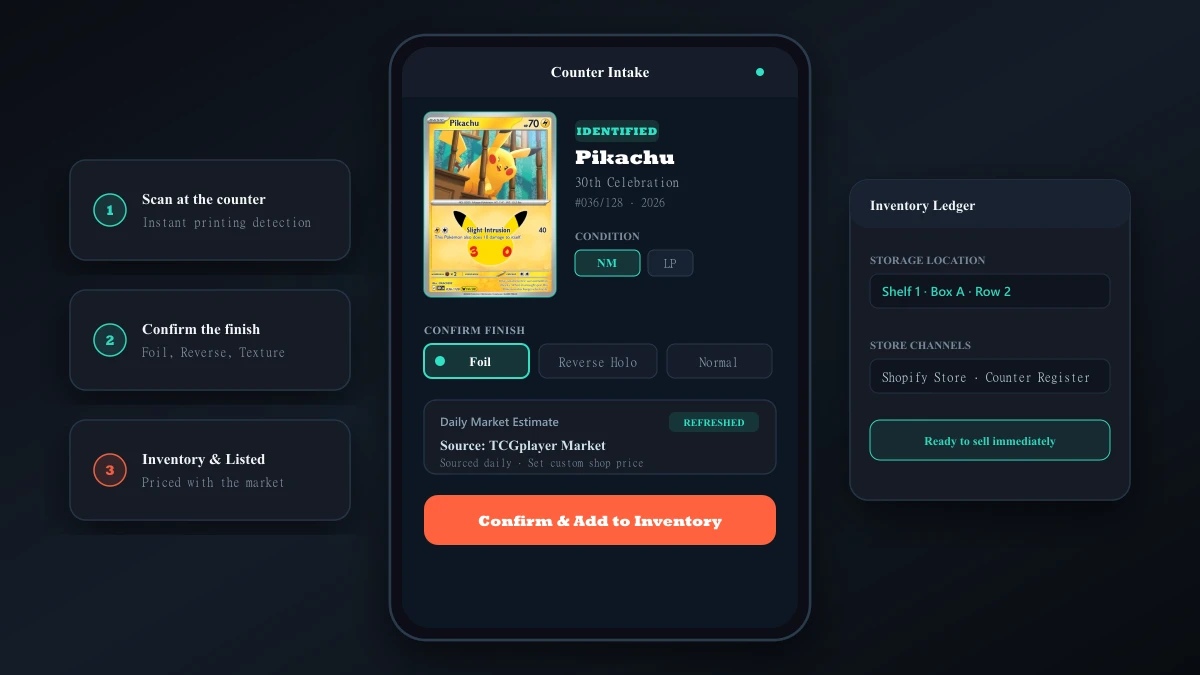
Scan, then confirm
The scanner suggests a card and finish. Nothing is saved until staff confirm it or correct it.
Foils and stamps stay separate
A reverse holo, a stamped promo and an Illustration Rare sell for different prices, so each is saved as its own version of the card.
Dated market estimates
Each estimate shows where it came from and when. Your asking price is a separate number you set, and a card without an estimate is shown without one.
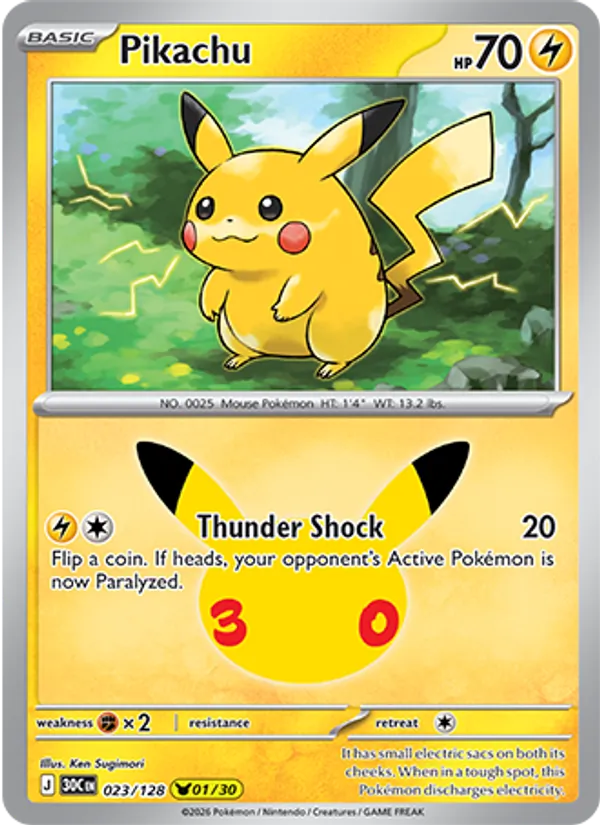
Pikachu
All 30 Pikachu cards in 30th Celebration share this number, so the artwork is how staff tell them apart at the counter.
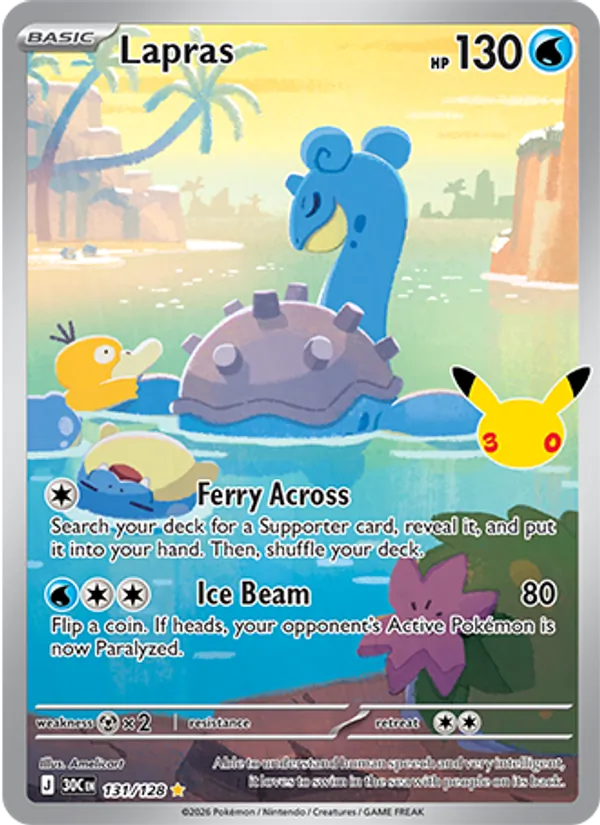
Lapras
Numbered after the 128-card main set, with a textured surface, so staff can see at a glance that it is not a regular card from the set.
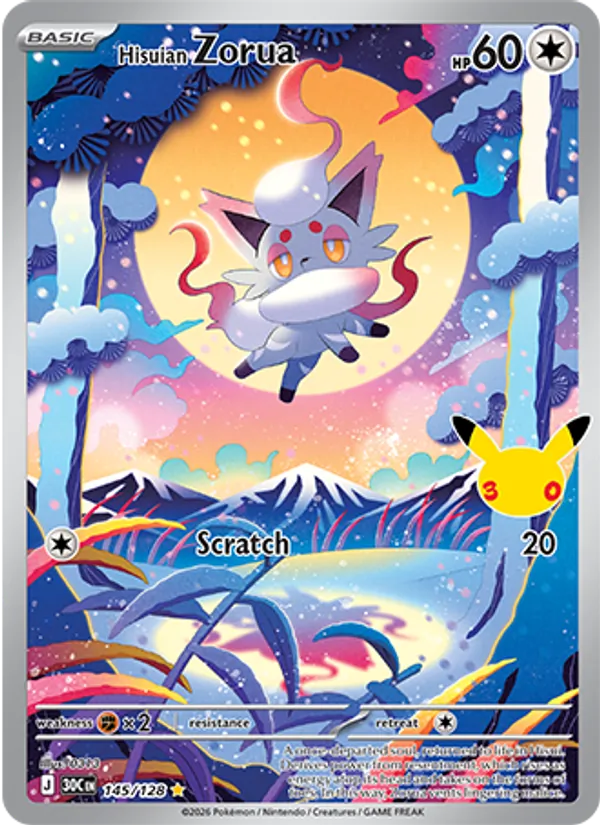
Hisuian Zorua
Lost Origin also printed a Hisuian Zorua, so check the set and number before this one goes in the case.
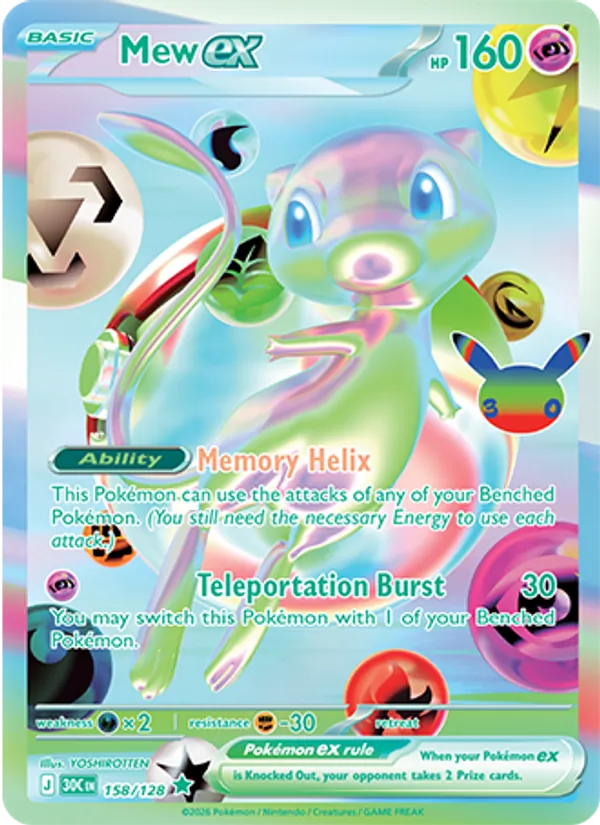
Mew ex
The new Futuristic Rare, illustrated by YOSHIROTTEN. Earlier Mew ex cards come from other sets and carry other numbers.
What happens when the counter and your website disagree?
The last copy of a card sells at the register while the same card is still for sale on your website. When the two update at different times, both show it in stock, and the fix is a cancelled order and an apology to a customer.
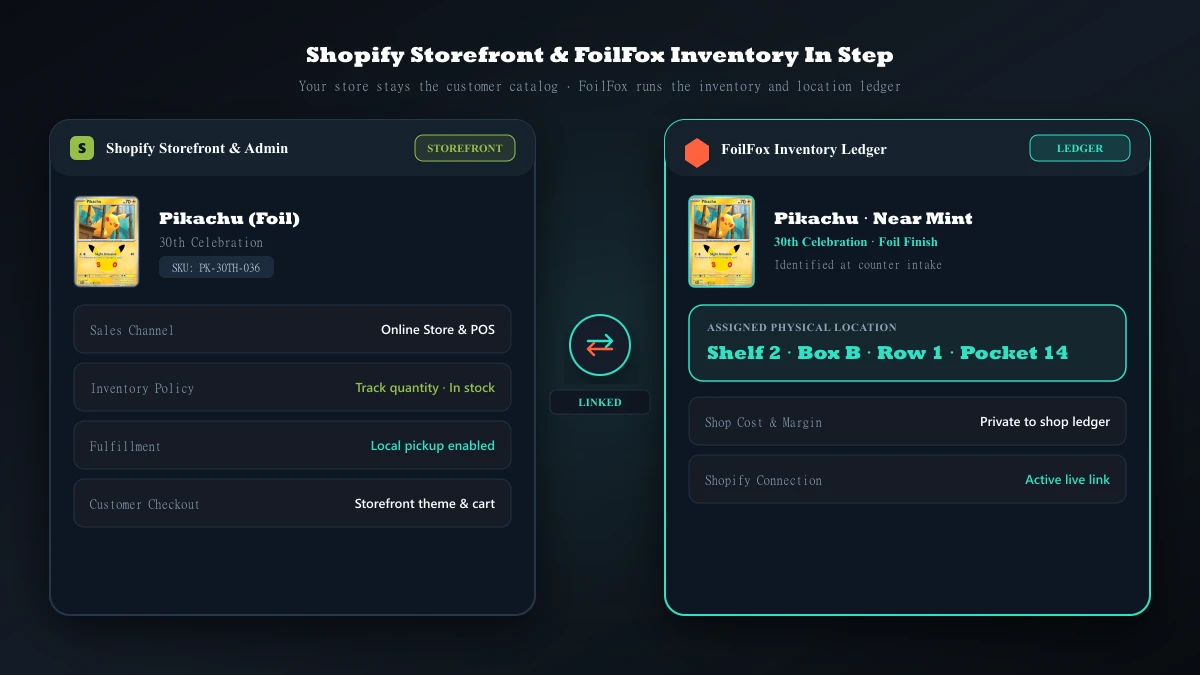
FoilFox keeps the count and shelf address for each card, and your Shopify store stays where customers check out. Today you export your inventory from Shopify, and FoilFox lines it up against your shop inventory so you can see and fix any mismatch yourself. The comparison never changes stock in either place. Automatic updates, where a sale at the counter lowers the count in Shopify, are planned.
Compare an inventory export
Your export is read in the browser and is not uploaded. You confirm which Shopify product matches which card, and FoilFox lists the differences for you to review.
Hold a card for a customer
A counter hold sets copies aside so they stop counting as available while the customer decides.
How do staff find a card fast?
A player wants three trainers before round one, and someone is digging through unlabeled boxes while the line grows. In FoilFox, a storage location can carry a short shelf address such as S2 · B04 · R1 · P14, meaning shelf 2, box 4, row 1, pocket 14. Every card saved there shares that address, and your shop inventory can be listed in shelf order, so staff walk the shelves once instead of doubling back.
Scan at the counter
Confirm the card and finish, then record its condition and what you paid.
Give it an address
Save it to a location such as S2 · B04 · R1 · P14.
Check against Shopify
Compare a Shopify inventory export with your shop inventory and fix any differences.
Pull cards in shelf order
List stock by shelf address today. Pick slips built from customer orders will follow the same route.
Could customers check case prices without asking?
Re-stickering a display case every time prices move eats a closing shift, and an unpriced case turns staff into a price lookup on a busy night. A planned QR code on the glass will open the cards in that case, with your asking prices, on a customer’s phone, and send the cards they pick to the counter.
Pull two cards for a customer at the counter
Will local players know you have the cards they need?
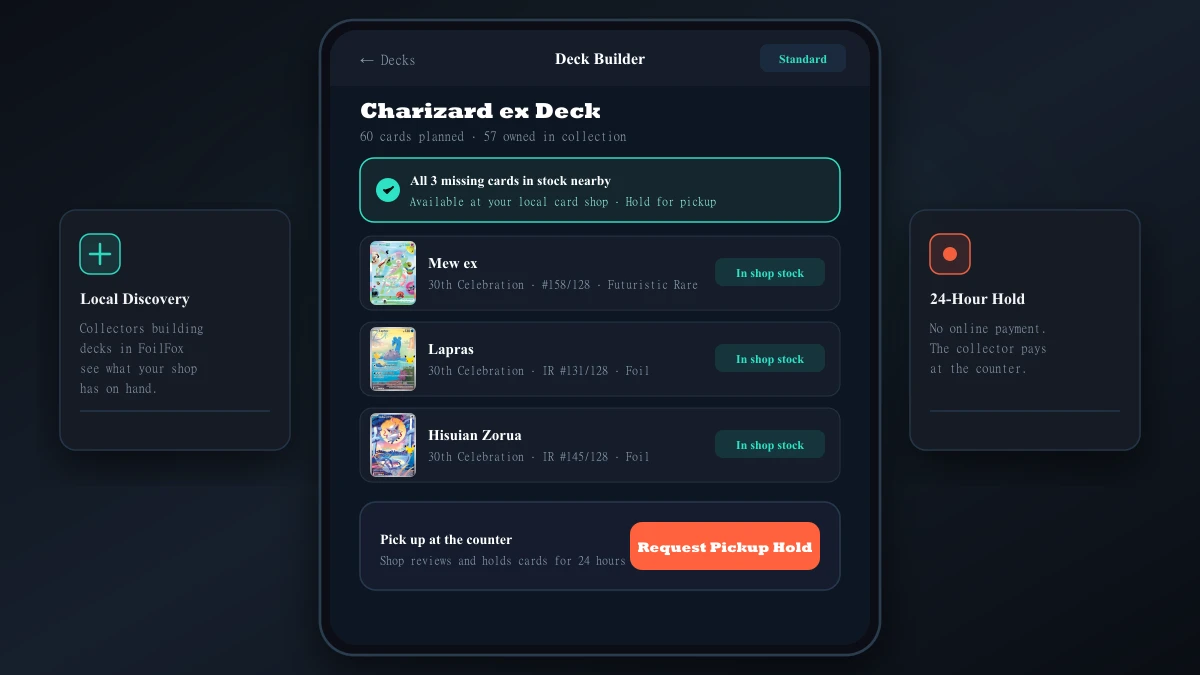
Players order singles by mail because they do not know the shop down the street already has them. FoilFox plans to show a player who is building a deck in the app which of the missing cards your shop has, so they can ask you to hold them and pay at your register.
What about a stack of binders on tournament night?
Three trade binders land on the counter while the tournament line is paying entry, and appraising card by card stops the floor. A planned drop-off queue will give the player a claim ticket, let staff appraise between rounds, and send an itemized cash or store-credit offer to the player’s phone, with accepted cards going straight into inventory. Until then, trades come in through the same counter intake as any other collection.
Who sees your costs, and can you take your data with you?
What you paid, your margins and your shelf addresses are for your staff, and FoilFox does not show them to customers. You can export your shop inventory as a CSV spreadsheet whenever you want a backup or your own numbers.
A staff member’s personal collection and the shop’s stock live in separate workspaces on the same FoilFox account. Switching to the shop workspace never moves a card from a personal binder into shop stock.
How do you try FoilFox in your shop?
Email us for early access and tell us how your shop takes in and sells singles. It starts with a conversation, and a pilot begins only after a shop signs an agreement and the workflow is running in its store. You can also start setting up a seller workspace to try intake and the Shopify comparison.